
Cisco Room Bar USB-C BYOD with Boardroom Buddy
Boardroom Buddy USB-C TX and RX extend a MacBook connection to a Cisco Room Bar for video, USB peripherals, and up to 100W charging.
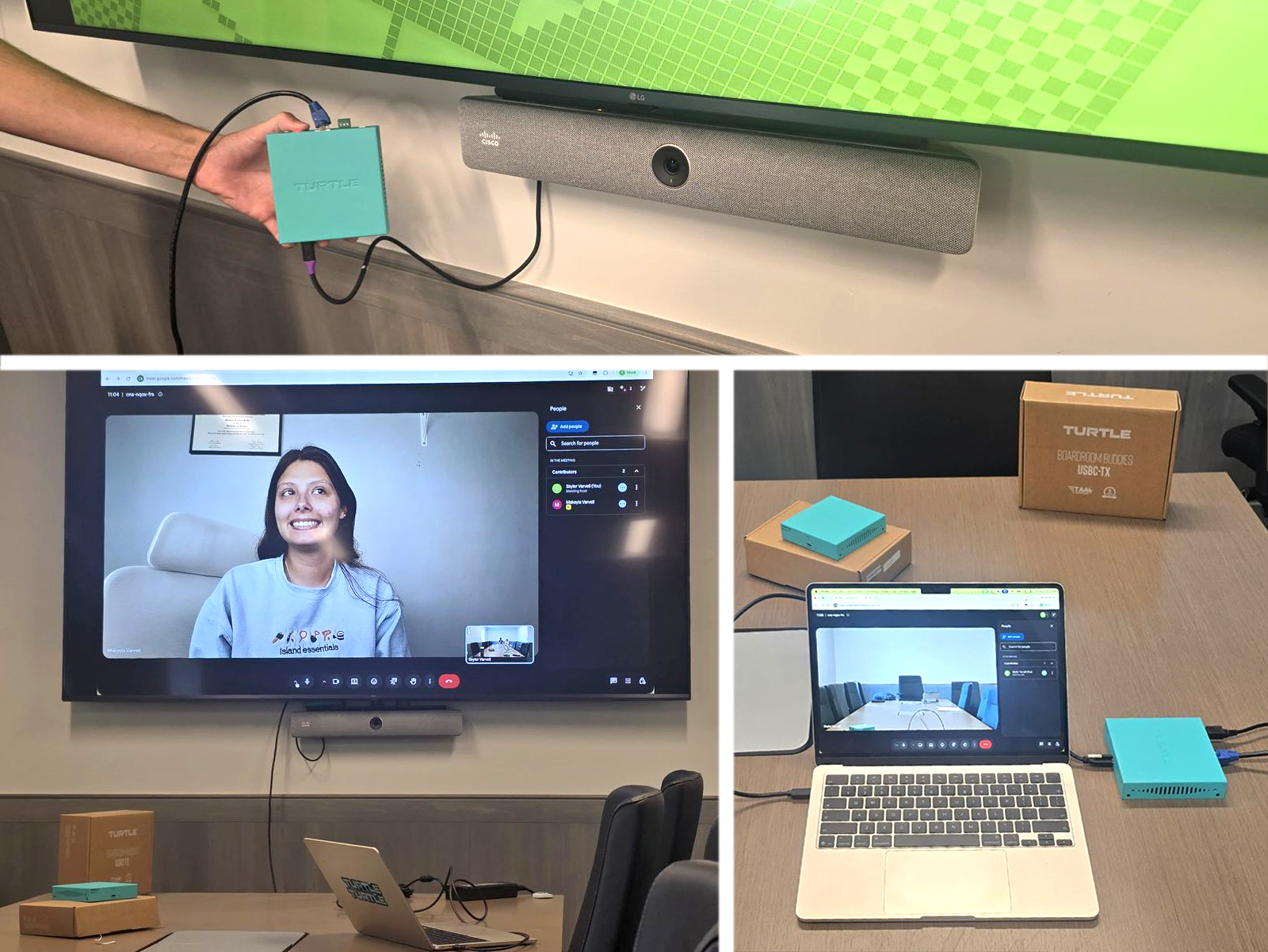
We tested Turtle AV Boardroom Buddy USB-C TX and RX with a Cisco Room Bar for a straightforward BYOD meeting room workflow. One USB-C connection at the table and a single CAT6a run gave the MacBook access to the display, camera, microphone, speaker, and charging.
Cisco Room Bar USB-C BYOD setup
Laptop | 2026 MacBook Air |
Extension | Boardroom Buddy USB-C TX and Boardroom Buddy USB-C RX |
Room device | Cisco Room Bar CS BAR NR K9++ |
Display | Connected to the Room Bar HDMI output |
How Boardroom Buddy extends USB-C
- Connected the MacBook Air to the Boardroom Buddy USB-C TX with a 40Gbps USB-C cable supporting DisplayPort Alt Mode.
- Powered the TX with its included power supply. The same USB-C cable then supplied up to 100W charging back to the MacBook.
- Linked the TX to the RX with one CAT6a cable across the table. The RX powered up via Power over Cable, with no second power supply required.
- Connected the RX USB-C OUT to the Cisco Room Bar USB-C port using a DisplayPort Alt Mode-capable USB-C cable.
- Connected the front of room display to the Room Bar HDMI output.
What the BYOD laptop can use
Once connected, the MacBook could use the room as if it were plugged directly into the Cisco Room Bar:
- An extended desktop on the front of room display
- The Room Bar microphone as the input device
- The Room Bar built-in camera as the camera
- The Room Bar speaker as the audio output
Signal flow
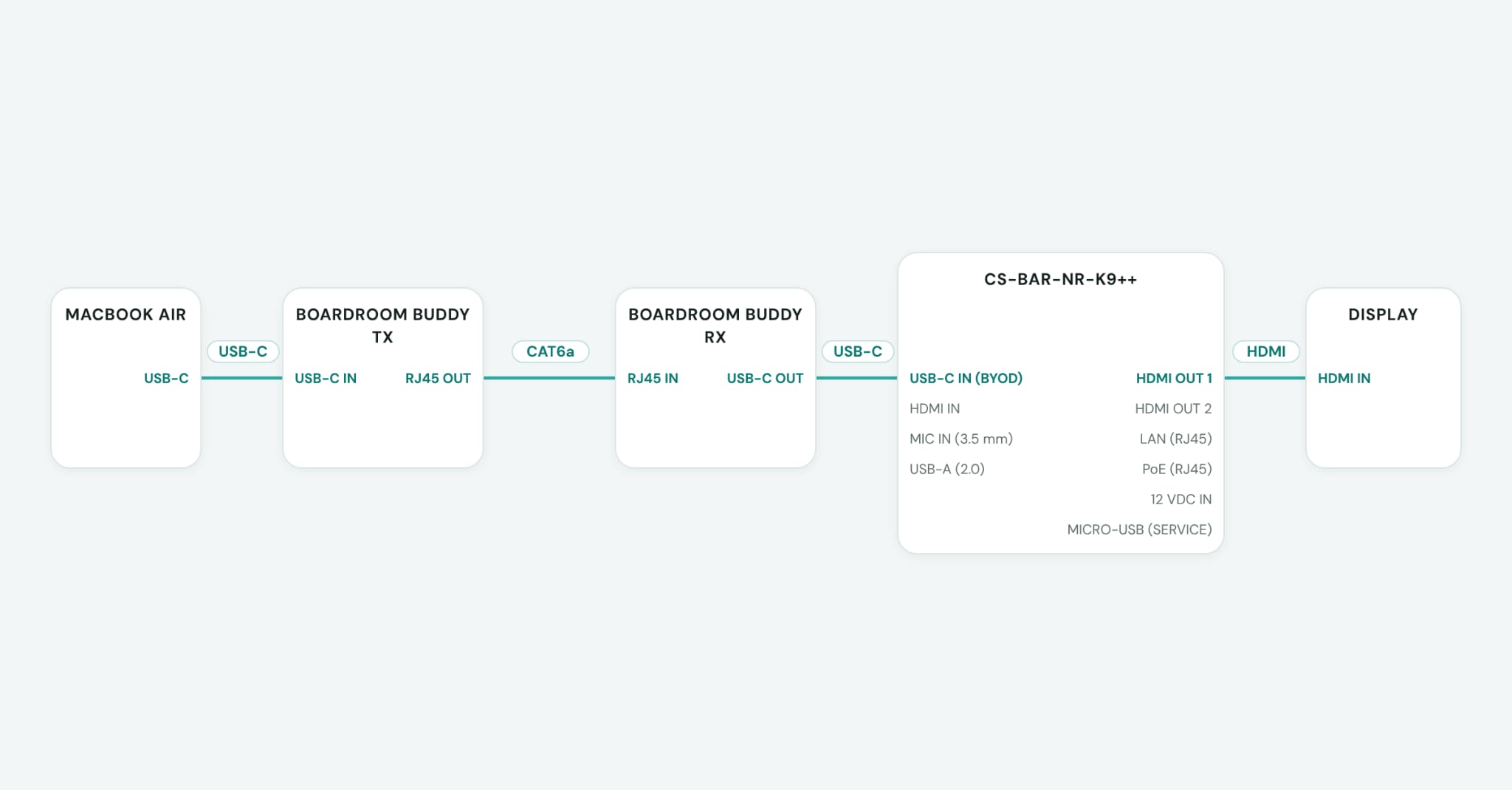
The Boardroom Buddies connection path used in the test.
A cleaner Cisco Room Bar BYOD experience
Boardroom Buddy keeps the BYOD connection simple: one USB-C cable at the table, while the Cisco Room Bar and display stay connected at the front of the room. The laptop receives video, room USB peripherals, and charging through the same connection.
For this Cisco Room Bar test, one USB-C cable at the laptop and one CAT6a cable across the table created a complete BYOD meeting room experience.
